Facts checked Article
Practical support
How to cancel self exclusion casino: the routes that exist, what each covers, and how to start
A GamStop self-exclusion cannot be cancelled during the period you chose, and it stays in place afterwards until you ask for it to be removed. Bank blocks, blocking software and phone settings each have their own way of being undone. This page sets out each route from the provider's own page, read 21 September 2026, with the helpline first.
What are the exact steps to enroll in the official UK self-exclusion scheme?
The National Gambling Helpline is 0808 8020 133. It is free and open 24 hours a day, every day of the year. You can call before reading any further.
If you want to cancel a casino self-exclusion, the answer depends on the route you used. A GamStop exclusion cannot be cancelled during the period you chose.
GamStop's own page states: 'Once you've registered, you cannot cancel your registration during the exclusion period.' When that period ends, the exclusion stays in place until you contact GamStop and ask for it to be removed. A bank block, blocking software or a phone setting is undone in a different way, and each one is set out below.
Registering with GamStop is the official route for online gambling in Great Britain. You register on gamstop.co.uk. You choose how long to exclude yourself, from six months up to five years.
GamStop's homepage describes the service as free. Once registered, you are blocked from accessing gambling websites and apps licensed in Great Britain.
You can stop here. Nothing on this page is saved or sent.
Sources: About; Control your gambling; Help for problems with gambling.
GamStop, from its own pages on 21 September 2026
- What it blocks
- Gambling websites and apps licensed in Great BritainAbout · as checked on
- How long
- From 6 months up to 5 years, chosen at registrationAbout · as checked on
- Cancelling early
- Not possible during the exclusion periodAbout · as checked on
- When the period ends
- The exclusion stays in place unless you choose to remove it by contacting GamStopAbout · as checked on
- Cost
- FreeControl your gambling · as checked on
- Talk to someone
- National Gambling Helpline 0808 8020 133, free, 24 hours a day, 7 days a weekHelp for problems with gambling · as checked on
What are the key differences between the national self-exclusion register and independent blocking software?
GamStop works at the account level. Gambling businesses licensed in Great Britain check the register, so an excluded person cannot use their sites or apps. It does not sit on your phone or computer.
Blocking software works at the device level. GamCare describes it as 'a type of computer programme or app that stops you accessing websites or services'. It lists gambling-specific products: BetBlocker, Gamblock, Gamban and, as parental-control software, Net Nanny.
Some are free and some ask you to pay.
The difference matters for cancelling. GamStop is removed by contacting GamStop after your period has ended. Software is removed on the device it was installed on.
GamCare's page does not say how each product is uninstalled or whether a product has a minimum period. This page has not read the products' own pages, so it does not say either.
If you are thinking about removing a block, you can talk it through first. GamCare advisers are on 0808 8020 133 or live chat, 24 hours a day.
Sources: About; Blocking software.
What are the main differences between three popular UK gambling self-exclusion tools?
GamStop, Gamban and BetBlocker are the three most often named together. This page describes them only as far as the pages it read describe them.
GamStop is the register. Its page says it blocks gambling websites and apps licensed in Great Britain, for six months to five years, and cannot be cancelled during that period.
Gamban is software. The NHS page lists it as a step you can take: 'install Gamban – this blocks access to gambling websites and apps on your devices'. GamCare lists it for Windows, Mac, iOS and Android.
BetBlocker is software too. GamCare lists it for Windows, Linux, Mac, iOS, Android and Fire OS. Neither the NHS page nor GamCare's page states its cost, its minimum period or how it is removed.
You can stop here. Nothing on this page is saved or sent.
Sources: About; Help for problems with gambling; Blocking software.
Words used on this page
- Self-exclusion
- Asking to be barred from gambling for a period you choose. Online, the route for sites licensed in Great Britain is GamStop.
- GamStop
- The free national register for online gambling in Great Britain. Licensed sites and apps check it and block anyone registered.
- Blocking software
- A programme or app on your phone or computer that stops gambling websites or services opening on that device.
- Bank gambling block
- A setting in your banking app that stops card payments carrying a gambling code.
- Cooldown
- The waiting time you set when you switch a bank block on. The block cannot be turned off until it has run out.
Where can I register for the leading gambling self-exclusion services online?
GamStop registration is on gamstop.co.uk, the only place the register is run. Blocking software comes from the product's own site or app store; GamCare gives the addresses for BetBlocker, Gamblock, Gamban and Net Nanny, and says it cannot be responsible for a product you choose.
A bank block is switched on inside your banking app. Monzo's help page explains its version: when a card payment carries a gambling code, the bank can block it. You set a cooldown period at the same time.
Phone settings are on the device. Apple's page for Screen Time describes content and privacy restrictions and a 'Limit Adult Websites' setting, written for a child's device managed by a parent. Google's Family Link page describes site filters in Chrome for a child's account.
GamCare suggests having someone else set the phone restriction up so that you do not know the password.
The helpline is 0808 8020 133 if you want to talk any of this through.
Sources: About; Blocking software; How blocks work; Set up parental controls to manage your child's iPhone or iPad; Chrome and your child's Google Account.
Undo a block, route by route
A printed plan of the reversal rule for each route, from the pages read on 21 September 2026. You can stop at any step.
Name the route you used
A GamStop exclusion, blocking software, a bank block and a phone setting are each undone in a different way. Write down which one your block is.
GamStop: wait for your period, then ask
You cannot cancel during the period you chose. When it ends, the exclusion stays in place until you contact GamStop and ask for it to be removed.
Software: remove it on the device
Blocking software is removed on the device it was installed on. GamCare's page does not say how each product is uninstalled or whether it has a minimum period.
Bank block: wait out the cooldown
A Monzo block can only be switched off after the cooldown you set has run out, from 2 days to a year. A payment already made cannot be undone.
Phone setting: ask whoever holds the passcode
Screen Time and Family Link restrictions are changed by the person who holds the passcode or manages the account. GamCare suggests that person is someone else.
What the result means
You know which rule applies to your block and whether it can be undone yet. You can stop here. The helpline is 0808 8020 133, free, at any hour.
Which UK gambling self-exclusion service offers the broadest coverage across websites and apps?
This page does not rank the services, and the pages it read do not measure coverage. Each one covers a different layer, and the layers are listed here as the providers describe them.
GamStop covers gambling websites and apps licensed in Great Britain. It does not cover sites licensed elsewhere, because those businesses do not check the register. It does not cover shops or venues.
Software covers the device it is installed on. GamCare's page lists which operating systems each product runs on. A device without the software is not covered.
A bank block covers card payments that carry a gambling code. Monzo says a company without a gambling code can be 'tricky' to stop in time, and a payment already made cannot be undone. Monzo's blocks are for card payments; it asks you to tell it if you want other payments blocked.
Phone restrictions cover the account or device they are set on. Google's page notes that on a computer a child can sign out of Chrome or use another browser where Family Link settings do not apply. GamCare's advice is to combine tools with support rather than rely on one.
Sources: About; Blocking software; How blocks work; Chrome and your child's Google Account.
The table: comparison of every blocking route
The table records what each provider's page says about coverage, duration and reversal. 'Not stated' means the page read does not say it; it does not mean the route has no rule.
Sources: About; Blocking software; How blocks work; Set up parental controls to manage your child's iPhone or iPad; Chrome and your child's Google Account; Help for problems with gambling.
| Route | What it blocks | What it does not | How long | How to reverse | Evidence |
|---|---|---|---|---|---|
| GamStop (register) | Gambling websites and apps licensed in Great Britain | Sites licensed elsewhere; shops and venues | 6 months to 5 years, your choice | Cannot be cancelled during the period; afterwards, stays on until you contact GamStop to remove it | · About |
| Gamban (software) | Gambling websites and apps on the device it is installed on | Devices without it | Not stated on the pages read | Not stated on the pages read | · Help for problems with gambling |
| BetBlocker (software) | Gambling sites on Windows, Linux, Mac, iOS, Android and Fire OS devices where installed | Devices without it | Not stated on the page read | Not stated on the page read | · Blocking software |
| Gamblock (software) | Gambling sites on Windows computers and Android phones where installed | Other devices | Not stated on the page read | Not stated on the page read | · Blocking software |
| Bank gambling block (Monzo example) | Card payments carrying a gambling code | Payments without a gambling code may go through; a payment already made cannot be undone; bank transfers unless you ask | Cooldown you set, from 2 days to a year | Wait out the cooldown, then switch it off | · How blocks work |
| Screen Time restrictions (Apple) | Websites and apps restricted under Content and Privacy Restrictions, including Limit Adult Websites | Devices outside the Family Sharing group | Until changed by whoever holds the Screen Time passcode | The passcode holder changes the setting; GamCare suggests someone else holds it | · Set up parental controls to manage your child's iPhone or iPad |
| Family Link site filters (Google) | Sites blocked or filtered in Chrome for a managed account | Other browsers; a computer where the child signs out of Chrome | Until the managing parent changes it | The managing account changes the filter | · Chrome and your child's Google Account |
A worked example in pounds
Suppose a £20 card payment to a gambling site. With a Monzo gambling block on, and the payment carrying a gambling code, the bank blocks the £20. If the company does not use a gambling code, Monzo says it can be hard to stop the payment in time.
You can report the company and it will be blocked from then on, but the £20 already paid is not undone.
Now suppose you want the block off so the £20 can go through. Monzo asks you to set a cooldown when you switch the block on, anywhere from 2 days to a year. You have to wait out that cooldown before the block can be switched off.
Nothing on the page shortens it.
With GamStop, the same £20 cannot be deposited at a site licensed in Great Britain while the exclusion is in place. If the period you chose has ended, the exclusion is still on until you contact GamStop to remove it. If it has not ended, there is no cancellation.
If you notice you are working out how to get a payment through, that is worth a conversation. The helpline is 0808 8020 133, free, at any hour.
Sources: How blocks work; About; Help for problems with gambling.
Before asking for a block to be removed
A printed plan. Ticks stay on your device only.
- Write down which route the block is: GamStop, software, bank or phone setting.
- If someone else holds the phone passcode, decide whether to ask them, and whether to tell them why.
- Call 0808 8020 133 or open GamCare's live chat if you want to talk it through first. It is free and confidential.
Ticks are kept only in this browser and are never sent anywhere.
What this page does not tell you
It does not tell you how to cancel a self-exclusion set with a single casino operator. That is governed by the operator's own terms and by Gambling Commission rules that this page did not read, so nothing here should be taken as a description of it.
It does not tell you Gamban's or BetBlocker's own cancellation rules, prices or minimum periods. Only the GamCare and NHS descriptions were read. It does not tell you whether GamStop applies a waiting period after you ask for removal; the About page does not say, and GamStop's help pages could not be read on 21 September 2026.
It does not tell you whether you should remove a block. That is your decision and the decision of the people you talk to.
Sources: About; Blocking software.
Questions answered
Each answer gives the finding first, from the page read on 21 September 2026.
Sources: Blocking software; Help for problems with gambling; About.
Questions answered
Can I use multiple gambling blocking tools simultaneously, and will they conflict?
The pages read do not report conflicts between tools, and GamCare's page recommends combining them: it says blocking software is 'a great start' and that 'a combination of practical tools and support can often be the key'. It suggests GamStop, a bank block and an internet provider filter alongside software.
Source: Blocking software
Are there any reliable free applications that effectively block all gambling websites for UK users?
No page read claims to block all gambling websites. GamCare lists BetBlocker, Gamblock, Gamban and Net Nanny and says some are free and some ask you to pay; the NHS lists Gamban as blocking gambling websites and apps on your devices. Coverage is per device, so a device without the software is not covered.
Source: Help for problems with gambling
How effective is each of the top UK gambling block apps in preventing access?
None of the pages read gives an effectiveness measure, so this page does not either. What the pages state is scope: GamStop blocks sites and apps licensed in Great Britain, software blocks on the device it is installed on, and a bank block stops card payments carrying a gambling code.
Source: About
Sources checked 21 September 2026
Sources checked 21 September 2026. Each page was read over HTTPS on that date.
The National Gambling Helpline is 0808 8020 133, free, 24 hours a day. This page ends where it began: you can call before deciding anything.
Sources: About; Control your gambling; Blocking software; Signs of gambling harm; Help for problems with gambling; How blocks work; Set up parental controls to manage your child's iPhone or iPad; Chrome and your child's Google Account.
Pages read
Health-class page: sources and reviews are refreshed within seven days of publication.
| Source | Publisher | Read on | Re-check due | Note |
|---|---|---|---|---|
| About | GamStop (The National Online Self Exclusion Scheme Limited) | On the next revisit | ||
| Control your gambling | GamStop (The National Online Self Exclusion Scheme Limited) | On the next revisit | ||
| Blocking software | GamCare | On the next revisit | ||
| Signs of gambling harm | GamCare | On the next revisit | ||
| Help for problems with gambling | NHS | On the next revisit | ||
| How blocks work | Monzo Help | On the next revisit | ||
| Set up parental controls to manage your child's iPhone or iPad | Apple Support (UK) | On the next revisit | ||
| Chrome and your child's Google Account | Google For Families Help | On the next revisit |
Pages read for this page, numbered as cited
- 1. About, GamStop, The National Online Self Exclusion Scheme Limited.
- 2. Control your gambling (homepage), GamStop.
- 3. Blocking software, GamCare (the address in the brief redirected to gamcare.org.uk/self-help/blocking-software/).
- 4. Signs of gambling harm, GamCare.
- 5. Help for problems with gambling, NHS, page last reviewed 8 December 2023.
- 6. How blocks work, Monzo Help.
- 7. Set up parental controls to manage your child's iPhone or iPad, Apple Support (UK).
- 8. Chrome and your child's Google Account, Google For Families Help.
Questions answered
Can I use multiple gambling blocking tools simultaneously, and will they conflict?
The pages read report no conflicts, and GamCare recommends combining tools with support: blocking software is 'a great start' and 'a combination of practical tools and support can often be the key'.
Are there any reliable free applications that effectively block all gambling websites for UK users?
No page read claims to block every gambling website; GamCare lists BetBlocker, Gamblock, Gamban and Net Nanny, some free and some paid, and coverage is per device.
How effective is each of the top UK gambling block apps in preventing access?
None of the pages read measures effectiveness, so this page states scope only: GamStop covers GB-licensed sites and apps, software covers the device it is on, and a bank block covers card payments with a gambling code.
Support sources
Continue reading
Making space for a pause: the routes that exist, what each covers, and how to start
The National Gambling Helpline is 0808 8020 133 in England and Scotland and 0808 2819 265 in Wales, 24 hours a day. A pause can start with one practical change, and the routes are set out below.
Read Making space for a pause: the routes that exist, what each covers, and how to start
A deposit-limit increase needs more than a waiting clock
Know what your limit counts, when it resets and what remains in force while a higher amount is pending. You can lower a boundary or stop without waiting to use it up.
Read A deposit-limit increase needs more than a waiting clock
Choosing between a gambling time-out and self-exclusion
A short pause and a longer exclusion cover different needs. Compare the duration, coverage and return conditions before relying on a label in an online casino account.
Read Choosing between a gambling time-out and self-exclusion
A limit is a boundary, not a guarantee of safety
A number alone cannot decide whether gambling is manageable for a particular person.
Read A limit is a boundary, not a guarantee of safety
Block gambling sites on your phone: every route, compared
GAMSTOP, Gamban, BetBlocker, a bank block and your phone's own settings each cover different ground. A sourced comparison and a step-by-step setup order.
Read Block gambling sites on your phone: every route, compared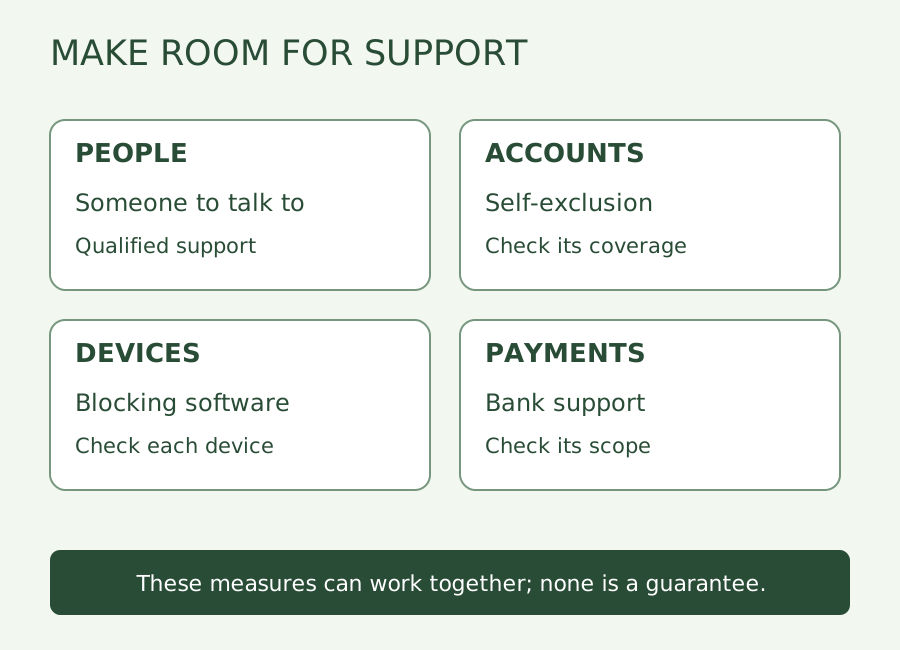
How can I stop online casino gambling and find support?
Understand Gamstop Online, device blocks, bank support and talking to someone, with a simple private next-step aid and current source links.
Read How can I stop online casino gambling and find support?
Continue reading
A deposit-limit increase needs more than a waiting clock
Know what your limit counts, when it resets and what remains in force while a higher amount is pending. You can lower a boundary or stop without waiting to use it up.
Read A deposit-limit increase needs more than a waiting clockChoosing between a gambling time-out and self-exclusion
A short pause and a longer exclusion cover different needs. Compare the duration, coverage and return conditions before relying on a label in an online casino account.
Read Choosing between a gambling time-out and self-exclusionMaking space for a pause: the routes that exist, what each covers, and how to start
The National Gambling Helpline is 0808 8020 133 in England and Scotland and 0808 2819 265 in Wales, 24 hours a day. A pause can start with one practical change, and the routes are set out below.
Read Making space for a pause: the routes that exist, what each covers, and how to startMaking space for a pause: the routes that exist, what each covers, and how to start
A limit is a boundary, not a guarantee of safety
Block gambling sites on your phone: every route, compared
A deposit-limit increase needs more than a waiting clock